
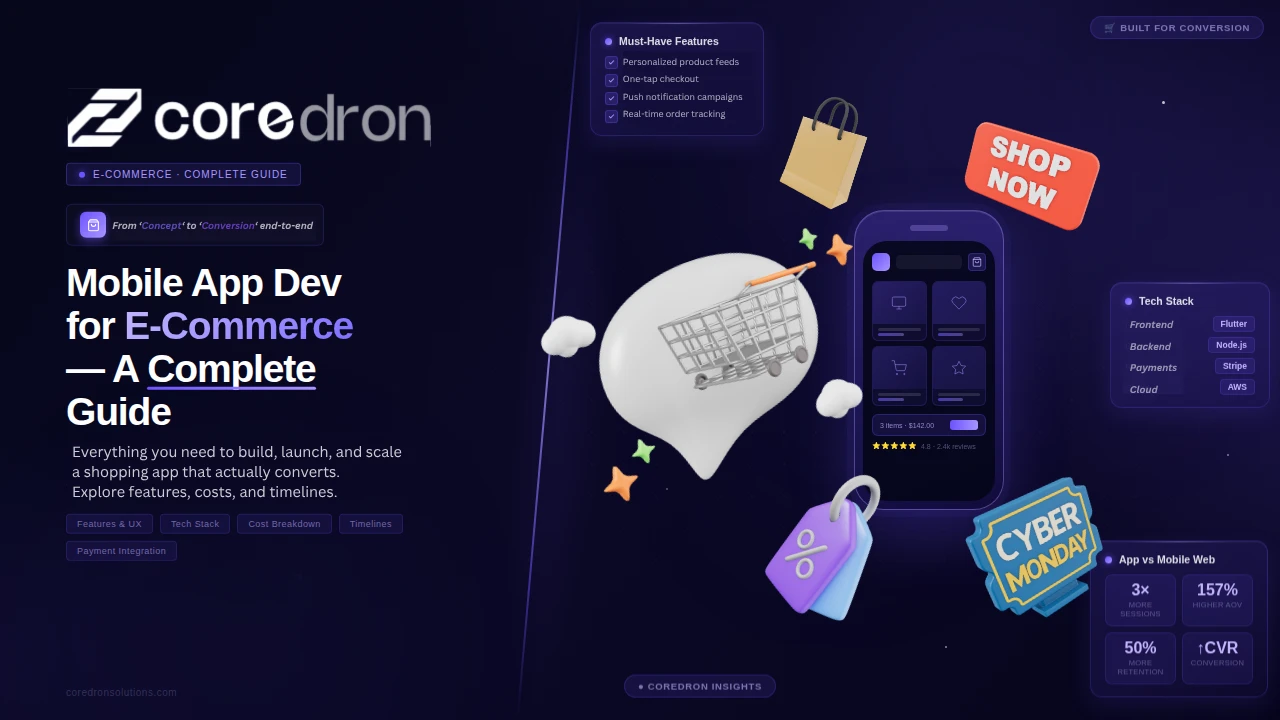
Mobile commerce is no longer an extension of e-commerce. It’s where most transactions now begin and end.
Statistics from Market Research Future suggest that the app development market is expected to reach USD 988.5 million by 2035. For many businesses, this isn’t a trend to watch; it’s already shaping customer behavior.
The shift is noticeable in how users interact. Browsing happens faster. Decisions are quicker. Expectations are higher. A standard website can handle traffic, but it often falls short in engagement, repeat purchases, and retention.
That’s where mobile apps start to matter.
They reduce friction. They keep users closer to the brand. And over time, they tend to outperform web experiences in areas that directly impact revenue.
This blog takes a closer look at shopping app development across industries. Continue reading as we learn more about it in the following sections.
What Is Mobile App Development for E-Commerce?
Mobile app development for e-commerce is the process of building applications that allow users to browse, select, and purchase products directly from their phones.
That’s the direct definition.
In practice, it’s about creating a faster, more controlled shopping experience than a website. The app sits on the user’s device, which means fewer steps, quicker access, and more personalized interactions.
The difference becomes clearer when you compare it with a website.
A website works through a browser. It depends on loading pages, re-entering details, and sometimes dealing with slower performance.
An app works differently:
- It loads faster because it’s already installed
- It remembers user preferences
- It allows features like push notifications and one-tap checkout
That’s why shopping cart apps tend to perform better when it comes to repeat purchases and user engagement.
Native vs Hybrid vs Progressive Web Apps (PWA)
This is where most businesses get stuck. Not because it’s complex, but because the options sound similar, they’re not. Based on the development approach, web apps can be categorized into three parts, namely:
- Native apps: Built specifically for one platform, either iOS or Android.
- Hybrid apps: Built using a single codebase but run on multiple platforms.
- Progressive Web Apps (PWA): Web apps that behave like mobile apps, accessed through a browser but with app-like features.
Here’s a clear difference between the different types of web apps:
| Type of App | Pros | Cons |
| Native Apps |
|
|
| Hybrid Apps |
|
|
| PWA Apps |
|
|
Which One Is Best for SMEs?
There’s no fixed answer, but the pattern is fairly consistent.
- If budget is tight and you want to test → PWA
- If you need a faster launch with decent performance → Hybrid
- If the app is core to growth and long-term scale → Native
Most SMEs don’t start with native unless the use case clearly demands it.
The decision usually comes down to how central the app is to the business, not just the budget.
Why E-Commerce Businesses Need a Mobile App
Once traffic is in place, the next problem is usually conversion and repeat purchases. That’s where apps start to make a difference.
They don’t replace the website, but they remove a lot of friction in the transition from browsing to buying.
Here’s why eCommerce businesses need a mobile app:
Higher Conversions
Apps shorten the path to purchase. Pages load faster, user details are already saved, and navigation feels smoother. With fewer interruptions, more users complete their orders rather than dropping off midway.
Better Retention
Websites depend on users returning on their own. eCommerce mobile solutions or apps stay on the user’s device, which changes that dynamic. Push notifications, reminders, and quick access bring users back more often without needing constant marketing spend.
Faster Checkout
Checkout is where hesitation usually happens. Apps reduce this by storing key details like addresses and payment methods. Fewer steps mean less time to rethink, which leads to quicker purchases.
Personalized Experience
Apps can track user behavior over time. This allows businesses to show more relevant products, offers, and content, rather than a generic experience. It doesn’t feel perfect, but it feels more aligned.
Key Business Benefits
These mobile commerce development features don’t operate separately. Together, they influence how the business performs.
1. Higher Conversion Rates:
When buying becomes easier and faster, more users complete their purchases instead of leaving midway.
2. Stronger Customer Retention:
With direct access through the app, users return more frequently, which increases lifetime value.
3. Reduced Cart Abandonment:
A smoother checkout process means fewer users drop off before completing a transaction.
4. Improved Engagement:
Personalized content and notifications keep users interacting with the app beyond just one-time purchases.
This is usually why businesses start investing in apps. Not just for presence, but for performance.
Must-Have Features for E-Commerce Mobile Apps
At a basic level, every eCommerce app development in India looks similar. Products, cart, checkout. But what actually drives sales is how these features work in real use.
Some features reduce friction, others build trust, and a few quietly bring users back. Here’s what really matters:
Product Catalog & Search
Most users don’t search with perfect keywords; they explore. So your catalog needs to support that. Categories should feel logical. Filters should actually narrow things down, not confuse people.
Search is where it often breaks. A good search understands intent, not just spelling. Even small improvements here can change how long someone stays in the app.
Shopping Cart & Wishlist
The cart shouldn’t slow anyone down. Add, remove, update—it all needs to feel instant. Wishlists matter more than they seem. A lot of users aren’t ready to buy right away.
They save things, compare later, and come back when the timing feels right. If that flow is missing, you quietly lose those users.
Secure Payment Integration
This is the point where users hesitate the most. You can have a great product and good pricing, but if payment feels even slightly off, people drop off.
Multiple options help. Cards, UPI, wallets; whatever your audience is used to. But more than that, the experience needs to feel safe and predictable. No surprises. No friction at the last step.
User Account & Profile Management
People don’t want to re-enter the same details every time they open a retail mobile app. That’s where a clean account system makes a difference. Login should be quick. Profiles should store the obvious things: addresses, past orders, preferences.
Nothing fancy, just done right. When this works, repeat purchases feel easy. Users come back, pick something, and check out without thinking twice. That’s the goal.
Order Tracking
Once the order is placed, the anxiety kicks in—“Where is it?” Real-time tracking solves that instantly. Even simple updates make a difference.
It reduces support queries, yes. But more importantly, it builds confidence. Users feel in control even after the purchase is done.
Push Notifications
Notifications can either bring users back or push them away for good. There’s a line, and most apps cross it.
Used well, they work. A price drop, a reminder, an order update: that’s useful. Random promotions every day? That gets ignored or muted. Remember, relevance matters more than frequency here.
Reviews & Ratings
Before buying, most people check what others are saying. Reviews act like a shortcut; they answer questions users haven’t even asked yet.
Even a few honest reviews can do more than polished product descriptions. They make things feel real, and that’s what drives decisions.
These features aren’t optional; they’re expected. But just having them isn’t enough.
What actually separates a high-performing app is how naturally everything fits together. No friction, no confusion; just a smooth path from browsing to buying.
iOS vs Android for E-Commerce Apps: Which One Should You Choose?
There’s no one-size answer here. The right choice depends on who you’re targeting and how you plan to grow.
Some businesses go all-in on one platform. Others try to cover both early. Both can work, but only if the decision is intentional. Let’s break it down.
Audience and Market Share
Android dominates in terms of sheer numbers. It’s everywhere, especially in price-sensitive and emerging markets.
iOS, on the other hand, usually attracts a smaller but more premium audience. These users tend to have higher purchasing power and different expectations from an app.
So the question isn’t just reach vs size. It’s: Do you want volume, or do you want high-value users early on?
Development Cost Differences
At first glance, Android seems cheaper. But in practice, it often takes more effort.
The reason is fragmentation. Different screen sizes, devices, and OS versions it adds complexity during development and testing.
iOS is more controlled. Fewer devices, more consistency. That usually translates to faster builds and fewer surprises.
So while costs vary, Android can quietly demand more time and attention behind the scenes.
Revenue Behavior
This is where things get interesting. iOS users generally spend more per transaction. They’re more comfortable making in-app purchases and tend to convert faster.
Android users bring scale, but spending patterns can vary widely by region and audience segment.
If your model depends on higher-order value or premium positioning, iOS often delivers stronger early returns.
Best Approach for Startups
Most startups don’t have the luxury to build everything at once. A common approach is to start with one platform, validate the product, and then expand. This keeps costs under control and helps you learn faster.
If your audience is clearly skewed (say, mostly Android users), it makes sense to begin there. If not, many teams lean toward iOS first for quicker development and better monetization signals.
Cross-platform frameworks are also an option, especially if you want to move fast without doubling effort. But they come with their own trade-offs in performance and flexibility.
In the end, eCommerce app development in India isn’t just a tech decision; it’s a business call. Pick the platform that aligns with your audience, your budget, and how quickly you want to test the market.
Cost Breakdown of E-Commerce Mobile App Development
There’s no single number that fits every app. Costs move based on how complex the product is and how much you’re trying to do in the first version.
Most builds, though, fall into three practical tiers. If you map your app to one of these early stages, budgeting becomes much clearer.
Here’s the eCommerce app cost overview at a glance:
| App Level | What You’re Building | Scope | Estimated Range |
| Basic | Core buying experience | Product list, cart, checkout | $10,000 – $25,000 |
| Mid-Level App | Branded, integrated experience | Custom UI, payments, backend sync | $25,000 – $60,000 |
| Advanced App | Scalable, personalized ecosystem | AI, automation, real-time systems | $60,000+ |
*Ranges vary based on region, team, and exact scope.
Basic App Cost
This is the simplest working version of your app.
You get the essentials in place. Users can browse products, add items to the cart, and complete a purchase. Nothing extra, just a clean path from discovery to checkout.
It works well when speed matters more than polish. Many startups begin here to test whether users are actually willing to buy through the app.
Mid-Level App Cost
This is where the app starts to feel like a proper product, not just a basic tool.
You bring in custom design, smoother navigation, and integrations with systems such as payment gateways and inventory tools. The experience becomes more consistent and easier to use.
Costs go up here because things are no longer plug-and-play. Every integration and UI decision needs more attention.
Most growing e-commerce brands sit in this range.
Advanced App Cost
At this level, the app is built to scale and adapt.
You’re looking at personalized recommendations, smarter search, real-time updates, and deeper analytics. The app starts responding to user behavior, not just displaying products.
This is less about launching and more about continuous improvement. Teams keep refining based on data, which adds to long-term cost.
This level makes sense once you already have traction and want to push growth further.
What Actually Drives the Cost
Even within the same tier, prices can shift quite a bit. A few factors tend to make the biggest difference.
1. Features
Every new feature adds layers. More screens, more logic, more testing. Even small additions can ripple across the app.
2. Platform
Building for one platform keeps things simpler. Supporting both iOS and Android increases effort, especially for native builds.
3. Team Location
Rates vary depending on where your team is based. But it’s not just cost. Communication style, timelines, and execution quality can also differ.
If you’re unsure where to start, go smaller. Build what users actually need first, then expand based on how they use the app.
That approach usually saves more money than trying to get everything right in version one.
Development Process for an E-Commerce App
Building an e-commerce app isn’t a one-step job. It moves in stages. Each one sets up the next, so skipping or rushing any part usually shows up later as bugs, delays, or rework.
Here’s how it typically plays out in real projects.
Step I – Planning
This is where most of the thinking happens. You define what the app should do, who it’s for, and what the first version actually needs. Not everything makes it in. Prioritization matters here.
Clear planning saves time later. When teams skip this or keep it vague, development slows down because decisions keep changing midway.
Step II – Design
Now the app starts to take shape. Design is not just about how things look. It’s about how users move through the app.
From landing on a product to completing a purchase, every step should feel obvious. Good design removes friction. Bad design creates confusion, even if the visuals look great.
Stage III – Development
Frontend and backend come together. Features are developed, integrations are added, and the app starts functioning as a real product.
This stage takes the most time. Not just because of coding, but because small changes keep coming in as things become more tangible.
Stage IV – Testing
Before launch, everything needs to be tested under real-world conditions. Payments, navigation, load times, edge cases.
Things that look fine during development often behave differently when tested properly. Catching issues here is far easier than fixing them after users start noticing them.
Stage V – Launch
This is where the app goes live, but it’s not the finish line. Once users start interacting with the app, you begin to see what actually works and what doesn’t.
Feedback, usage patterns, drop-offs. All of it matters. Most apps evolve more after launch than before. The first version just gets you into the market.
A smooth process is not about speed at every step. It’s about getting each stage right so the next one doesn’t break.
Launch Checklist for Your E-Commerce App
Right before launch, small misses turn into real problems. This is not about adding new features. It’s about making sure what you’ve built actually works in the real world.
- App Testing Completed:
Go beyond basic checks. Test full user journeys from login to checkout. Test on different devices, over slow networks, and in edge cases like failed payments or empty carts. Things often break where you least expect them.
- Payment Gateway Working:
Run real transactions, not just test mode. Check success, failure, and refund scenarios. Make sure users get clear confirmations, and you receive accurate records on the backend.
- Product Data Uploaded:
This sounds simple, but errors here hurt credibility. Verify images, pricing, descriptions, and categories. One incorrect price or a missing image can quickly erode trust.
- Analytics Setup:
Set this up before users come in. Track installs, product views, cart actions, and drop-offs. Without this, you’re guessing what’s working instead of knowing.
- App Store Optimization (ASO):
Your listing is your first impression. Use clear titles, relevant keywords, and screenshots that show actual value. Avoid generic descriptions. Speak to what your app helps users do.
- Marketing Plan Ready:
Launching without visibility rarely works. Have something lined up. Ads, email campaigns, social posts, or influencer pushes. Even a small plan is better than silence.
Trends in E-Commerce Mobile Apps 2026
The shift is not just about selling online anymore. It’s about making the experience faster, more personal, and closer to how people actually shop.
- AI and Personalization – Apps are getting smarter about what they show. Instead of static catalogs, users see products based on behavior, past purchases, and browsing patterns. It feels more relevant, which often leads to higher conversions.
- Voice Search Shopping – People are getting comfortable speaking instead of typing. This changes how products are discovered. Search needs to understand intent, not just keywords.
- Augmented Reality (AR) Shopping – Users want to see how things fit before they buy. Whether it’s trying on a pair of glasses or placing furniture in a room, AR reduces hesitation and returns.
- One-click Checkout – Every extra step increases drop-offs. Faster checkout flows are becoming standard. Saved details, quick payments, and minimal input are now expected, not optional.
- Social Commerce Integration – Discovery is happening on social platforms first. Users see a product, get interested, and want to buy instantly without switching apps. The line between browsing and buying is getting thinner.
Real-World Examples of Successful E-Commerce Apps
Some apps get the basics right. Others go further, shaping how people shop.
Amazon
Focuses on speed and convenience. Fast delivery, simple checkout, and strong recommendations keep users coming back.
Shopify-powered Apps
Flexible and brand-driven. These apps stand out by offering unique experiences while relying on a solid backend.
Walmart
Blends online and offline well. Features like store pickup and real-time inventory bridge the gap between digital and physical shopping.
Key takeaway
There’s no single formula. But the pattern is clear.
Make buying easy, reduce friction, and keep improving based on how users actually behave.
Conclusion
Mobile apps are no longer a nice-to-have in e-commerce. For many businesses, they’ve become the main channel for discovery, engagement, and buying.
What matters is not how many features you add on day one. It’s how easy the app feels to use and how well it holds up as you grow. Usability gets users in. Scalability keeps them coming back.
Start with a version that solves the core problem. Then improve it based on how people actually use it. That’s how most successful apps are built over time.